
Core workflow · Dispatch
The dispatch center where tours come together
Bring the vehicle board, assignments, timeline and map into one working view for your dispatch team.
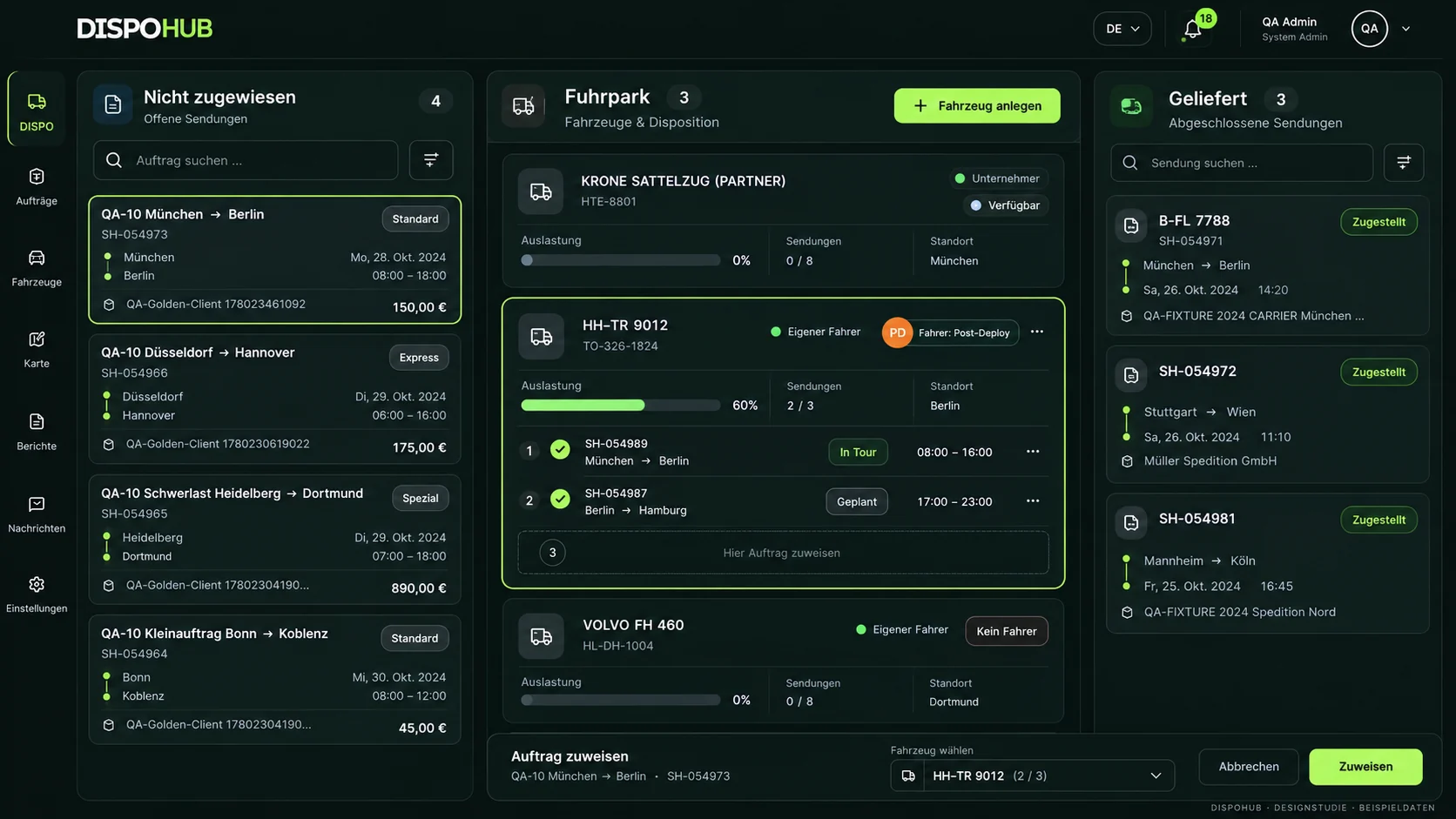
01 / Dispatch board
Vehicles, status and open freight at a glance
Use the board to review open work, assigned vehicles and shipments already underway.
- Board-based dispatch
- Own fleet and external carriers
- Shipment status in context
02 / Assignments
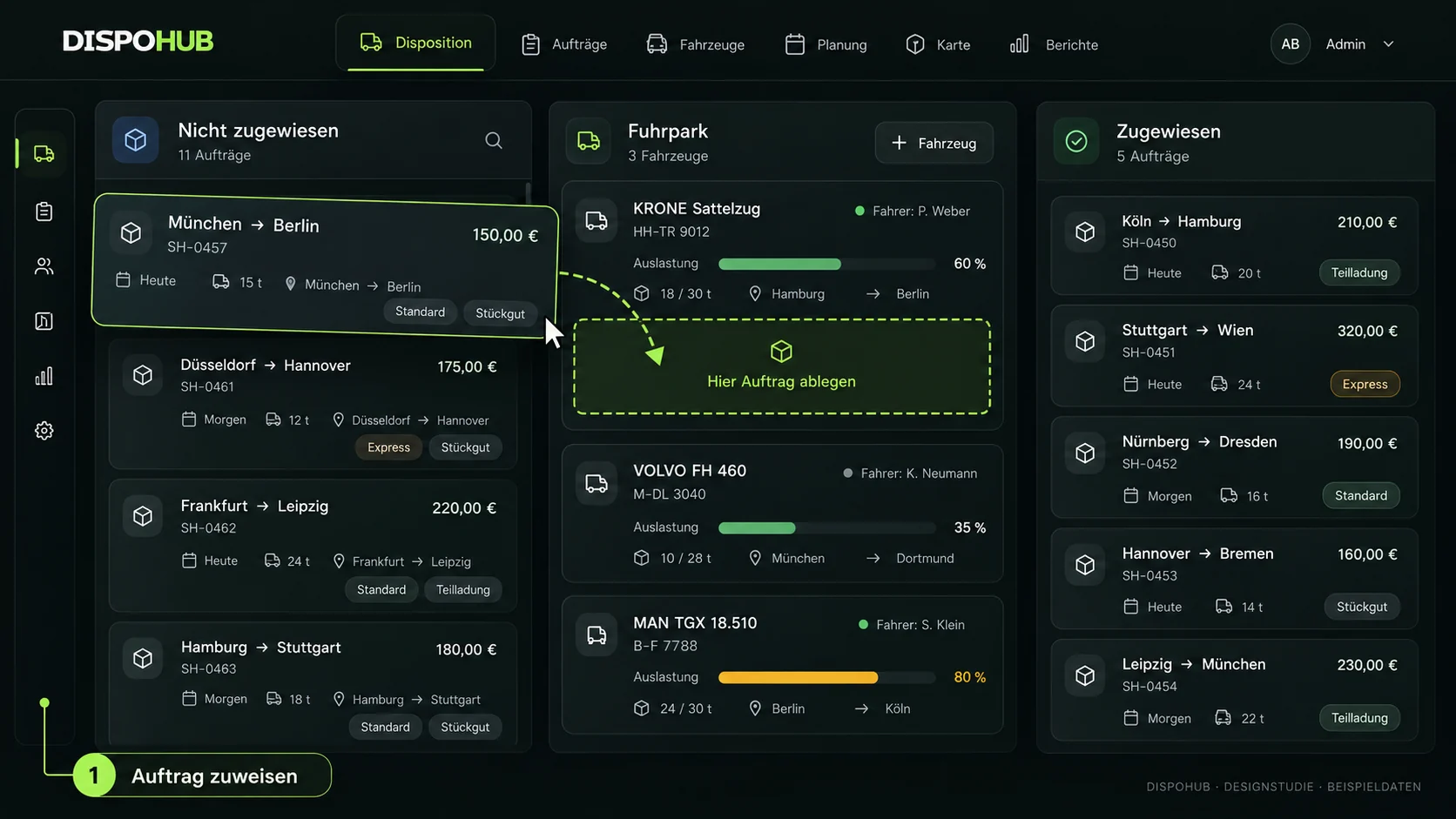
Assign freight to a vehicle or carrier
Drag freight into the relevant assignment column and continue the associated tour and document workflow.
- Drag-and-drop assignment
- Carrier order confirmations
- Delivery notes for own-fleet work
Questions about usage
Can I use it instead of a spreadsheet for daily dispatch?
The dispatch center brings status, assignments and maps into a shared daily workflow. Data import and migration requirements should be reviewed separately.
How are documents connected?
Customer confirmations, carrier confirmations, delivery notes and invoices remain associated with the transport workflow. Review your required document sequence in a demo.
How does the team learn the workflow?
Use the product walkthrough and available practice environment to explore assignments and status changes. Agree the introduction process with your team.
The next step
Your business. Your DispoHub.
Show us how you work. Together we’ll explore the plan and modules that fit your day.