Describe the task
Explain which order you need or which offer you want to prepare. Specify the customer, service and agreed terms.
ChatGPT × DispoHub
Ask about your orders. Prepare offers. Execute supported, approved actions in DispoHub from a conversation with ChatGPT.
Private Business connection · Discuss setup with our team
How the steps fit together
Explain which order you need or which offer you want to prepare. Specify the customer, service and agreed terms.
Check the proposed data and selected business profile. Correct missing details before creating a record.
The supported action runs after your approval. Continue working with the resulting record in DispoHub.
One system. Your whole working day.
Explore three examples of how offers, planning and accounting come together.
01 / PREPARE
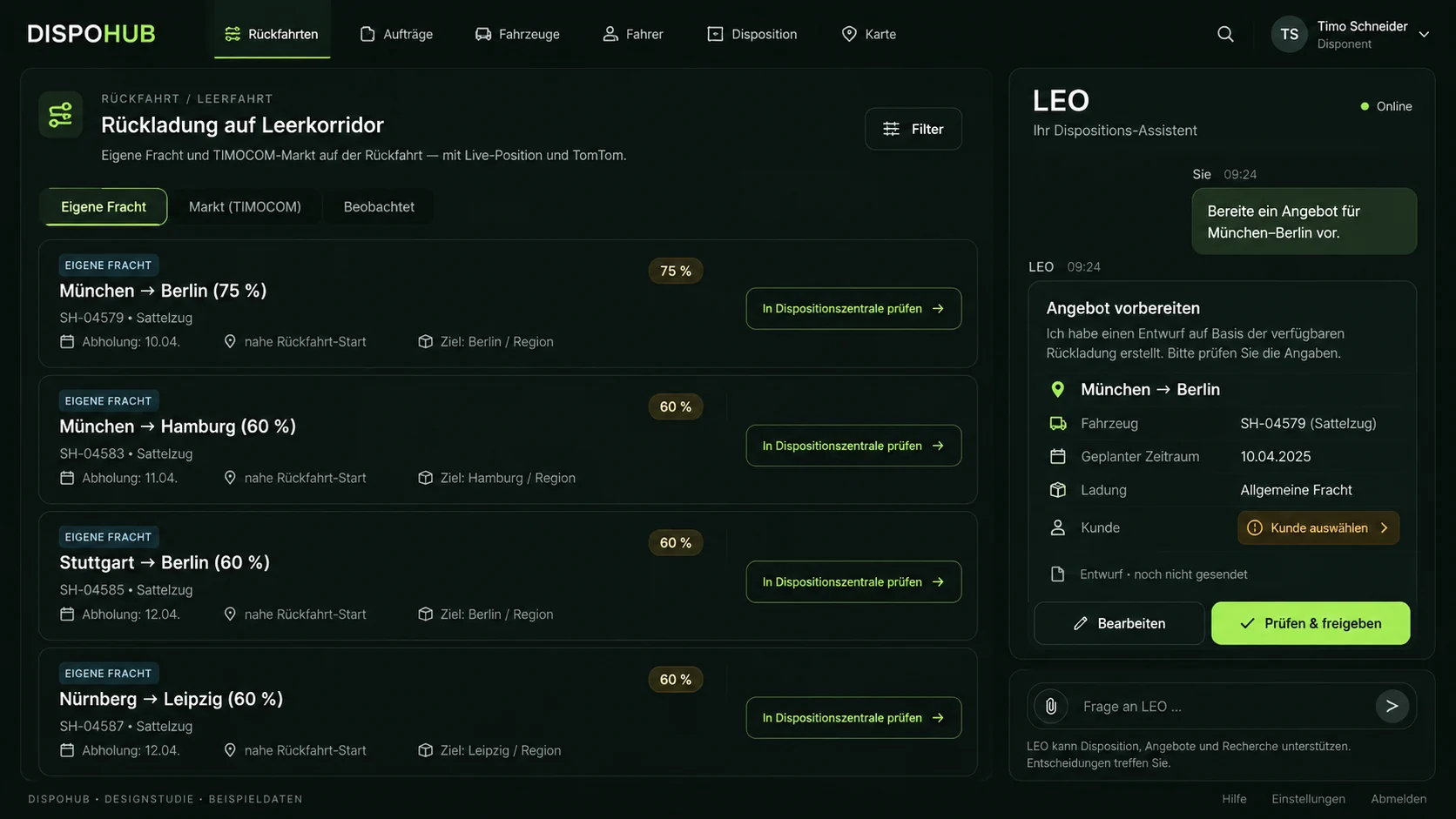
Describe the next order. The ChatGPT connection prepares a supported action. Review the preview and approve before a record is created.
Explore the ChatGPT connection ↗Private Business connection. Agree setup and availability; no automatic outgoing messages.
Review the customer and terms, then approve the offer.
Illustrative example · not live data
02 / DISPATCH
Bring shipments, vehicles and schedules together. The dispatch center connects assignments with tours, documents and the TomTom map.
Explore dispatch ↗Your own fleet and external carriers. Dispatchers review capacity and suitability.
4 pallets · 1 shipment
Own fleet
Illustrative example · not live data
03 / COLLABORATE
Organise invoices, expenses and documents with the right people. Dedicated accountant access brings financial work into the shared workflow.
Explore accountant access ↗Roles, exports and e-invoice formats are agreed for your requirements.
Illustrative example · not live data
The connection is designed to work with your DispoHub data. Look up shipments, tours, offers and invoices. Supported write actions include creating offers, tasks and orders after confirmation.
Creating an offer does not send a message. Automatic outgoing email, WhatsApp messages and driver push notifications are not part of the current connection scope. We review the actions available to your business during setup.
Initial setup is intended for a private ChatGPT Business workspace. In a demo, we discuss access, permissions and a suitable first use case. Availability, your DispoHub plan and any third-party costs are agreed before setup.
“Show my open orders” and “Create a shipment from Frankfurt to Hamburg” are different tasks: a query and a change. For supported changes, review the preview and confirm the action. Continue working with the record in DispoHub.
Alongside the private ChatGPT connection, ready-built dispatch, accounting and analysis agents are available in the DispoHub marketplace. Each agent is configured, trained on your workflows and adapted to your working interface before use.
The connection is designed to create offers after a preview and explicit approval. We review the workflow with your role and business profile during setup.
No. Creating an offer and sending it are separate steps. Outgoing messages are not included in the current ChatGPT connection scope.
Initial setup is intended for private ChatGPT Business workspaces. Access, enablement and DispoHub permissions are agreed in advance. General availability in the app directory is not assumed.
The connection uses your authorised DispoHub profile and its roles and permissions. Discuss the users and workflows that need access before setup.
More possibilities. Clearly explained.
Explore workflows that fit your business, with clear requirements and a practical next step.
Create shipments. Look up tours, drivers and orders. Simply in chat.
Discuss setupWith a configured connection and your authorised data. Review and confirm actions before they run.

 ChatGPT
The next step
Show us how you work. Together we’ll explore the plan and modules that fit your day.